
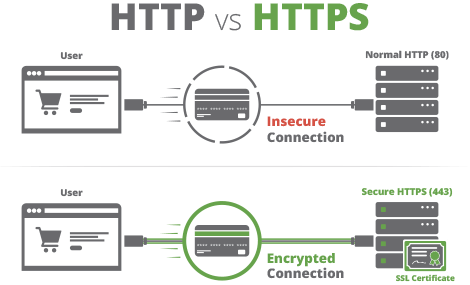
SSL Integration
Integration of SSL into GoDaddy hosting for a website.
First of all, purchase an SSL. I recommend the cheapest as you just don’t want Google scaring off your viewers with their warnings up top.

After purchase, you will go to your order on the purchase website and select Generate Cert Now.

Then you will start the order process, fill in the first 3 questions, and receive a Domain Validation email to prove it’s yours.

For step 4, you need your CSR certificate, so go to your hosting, go to your CPanel, and under Security select SSL/TLS.

Once in SSL/TLS, select Certificate Signing Request (CSR)

Fill in the CSR form and generate, now copy the CSR Code.

Paste your CSR Code into section 4 of the order process.

Complete questions 5 and 6, question 7 for GoDaddy CPanel is Apache-ModSSL.
Complete the Verify and contact details section, then finish it by the agreement section.
You will now receive an email to your personal Email address containing a Zip file which has the SSL Certificate.

You will now go back to SSL/TLS select in your cPanel and click on Certificates (CRT).

Here you will upload the Certificate file, which was sent to you in the Email Zip file.

The last step, go back to SSL/TLS select in your cPanel, and this time click on Install and Manage SSL …

Once here, click browse, select the certificate in the pop-up window, and click Use Certificate.

Then click Install Certificate at the bottom, and you will be greeted with SSL host successfully installed, just press ok.

One final thing, you probably want to go into the general settings of your WordPress site, if that’s what it’s for, and make sure the site address URL is HTTPS now.

You’re all done now.